 ™
™Bringing in another instructor
The Befundo team · July 3, 2026 · 2 min read

When somebody else teaches for you, they get their own login, not yours. On Befundo you invite them as an instructor and assign them to their classes. They run those classes; you keep the business.
The quick answer
- Invite them from Instructors. They accept at their own email address.
- Assign them to a class from Edit class, or Change beside "Taught by".
- An assigned instructor runs that class: meetings, attendance, posts, work, and requests to join or leave.
- Payments, class settings and business-wide announcements stay with the owner.
Invite them
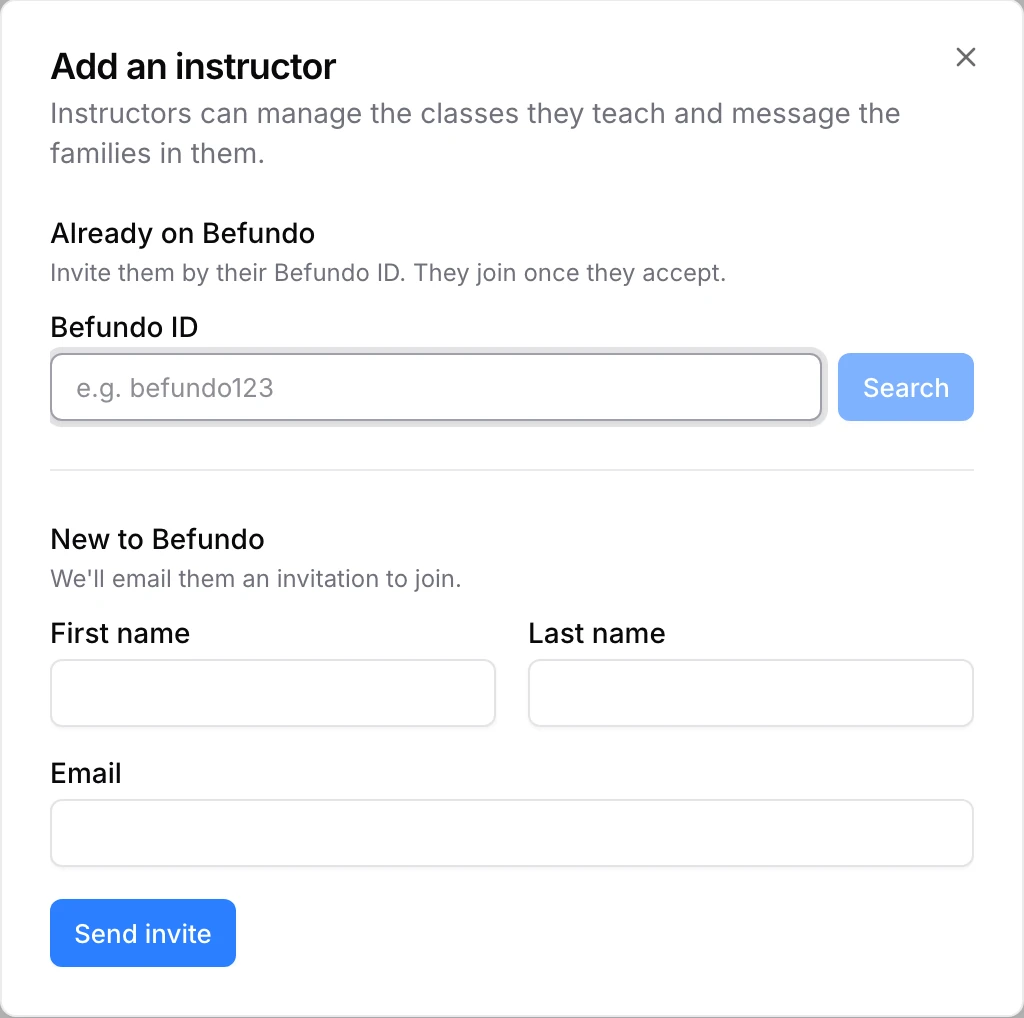
- In your business menu, open Instructors and press Add instructor.
- If they're already on Befundo, search for their Befundo ID. Otherwise, fill in their name and email under New to Befundo.
- Press Send invite.
Either way they get an invitation, as a notification and by email. It opens their invitations page, where they accept or decline. Accepting adds them to your instructors.
Assign them to a class
Open the class. Beside "Taught by" in its header, press Change and choose them. You can also do it from Edit class under Instructor.

What they can do
In the classes they're assigned to, an instructor can:
- edit the class
- run meetings, start live sessions and take attendance
- post to the board and set work
- send an announcement to that class
- answer requests to join and to leave
- check and publish summaries
What stays with you
- Payments. Instructors don't see the Payments page.
- The class's Settings page.
- Announcements to every family, and posts to every class.
- Classes they don't teach. Another class's page shows them no controls, and requests there have no buttons for them.
Before you invite
- One login each. Never share yours. An instructor's own account is what lets Befundo show them the right controls and keep everything else back.
- Decide which classes first. An instructor sees controls only on the classes they're assigned to.
- Use the email they'll check. The invitation goes there.
What families see
The class header reads "Taught by" and the instructor's name, and families see them on the class's Members list, where they can message them. When you change the instructor, the class page changes with it.
Common questions
Can an instructor send an announcement? Yes, to the classes they teach, from the class page: New, then Announcement.
Can they change a class's settings? They can edit the class itself. The class's Settings page, with payments and what families agree to, stays with the owner.
Invite yours
Open Instructors in your business menu and press Add instructor.