 ™
™Handling requests to join and to leave
The Befundo team · July 23, 2026 · 2 min read
A class on Befundo takes registrations in one of two ways. Leaving works in one of two ways too, depending on whether the class has started. All the requests land in one place: the class's Members tab.
The quick answer
- "Families can register themselves" decides whether a place is taken at once or asked for.
- Requests to join arrive on the class's Members tab: Let them in or Not this time.
- Before a class starts, families withdraw themselves.
- Once it has started, they ask to leave: Let them leave or Keep their place.
Choose how people join
- Open the class and press Edit class.
- Tick or untick Families can register themselves.
Ticked, a place is taken the moment somebody registers. Unticked, the family's button reads Ask for a place for their child, and you decide. Unticked is the one to use for a class you want to vet, or a public listing you don't want filled with names you didn't choose.

Answer a request to join
- Open the class and go to Members. A badge shows how many requests are waiting.
- Under Waiting to join, press Let them in or Not this time.
Declining doesn't stop the family asking again later.
Leaving
- Before the first meeting, a family presses Withdraw and the place goes straight away. You're told.
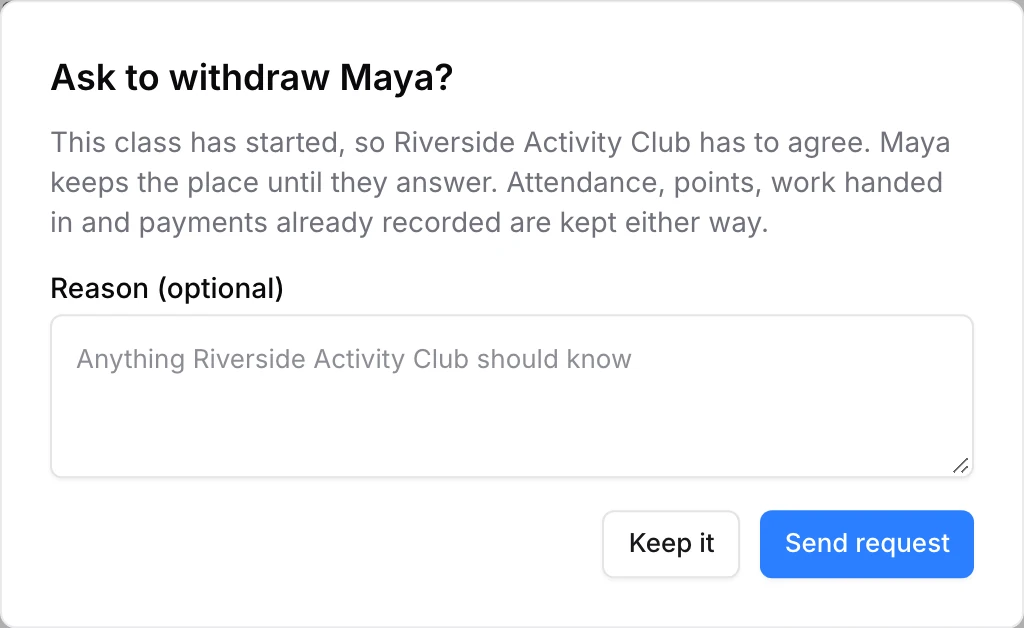
- After it has started, their button reads Ask to withdraw. They can add a reason, and the request appears under Waiting to leave: "Maya asks to leave Swimming — Dolphins".
Press Let them leave or Keep their place. Until you answer, the place is kept. Attendance, work and payments already recorded stay on the record either way.
When a class is full
Maximum students on the class caps registrations. Once it's reached, families can't register. You can still bring somebody in yourself.
Invite somebody in directly
On the class's Members tab, press Invite student. Invite them by their Befundo ID or their email. They get an invitation and choose who's attending; nobody joins until they accept. Invitations get past a full class and a closed registration, so use them for the family you've agreed to make room for.
Who can answer
The business owner and the class's assigned instructor. Another instructor sees the request but not the buttons.
Common questions
Can a child ask to leave on their own? A child with their own login can cancel a request to join, but only a parent can withdraw them or ask to leave.
What about a class that has finished? A finished or archived class stays on the record. Nobody withdraws from it.
Check your requests
Open a class and go to Members.