 ™
™Import your roster and invite families
The Befundo team · August 27, 2026 · 2 min read

If you already teach a group of families, you don't have to ask each of them to find you. Import them from a spreadsheet, or send one link per class.
The quick answer
- An import sends invitations, not enrollments. Nobody appears on a class list until a parent accepts.
- The parent chooses who's attending. The child's name you import is only a suggestion.
- Or share a class link. Families open it, read about the class and register themselves.
Import a roster
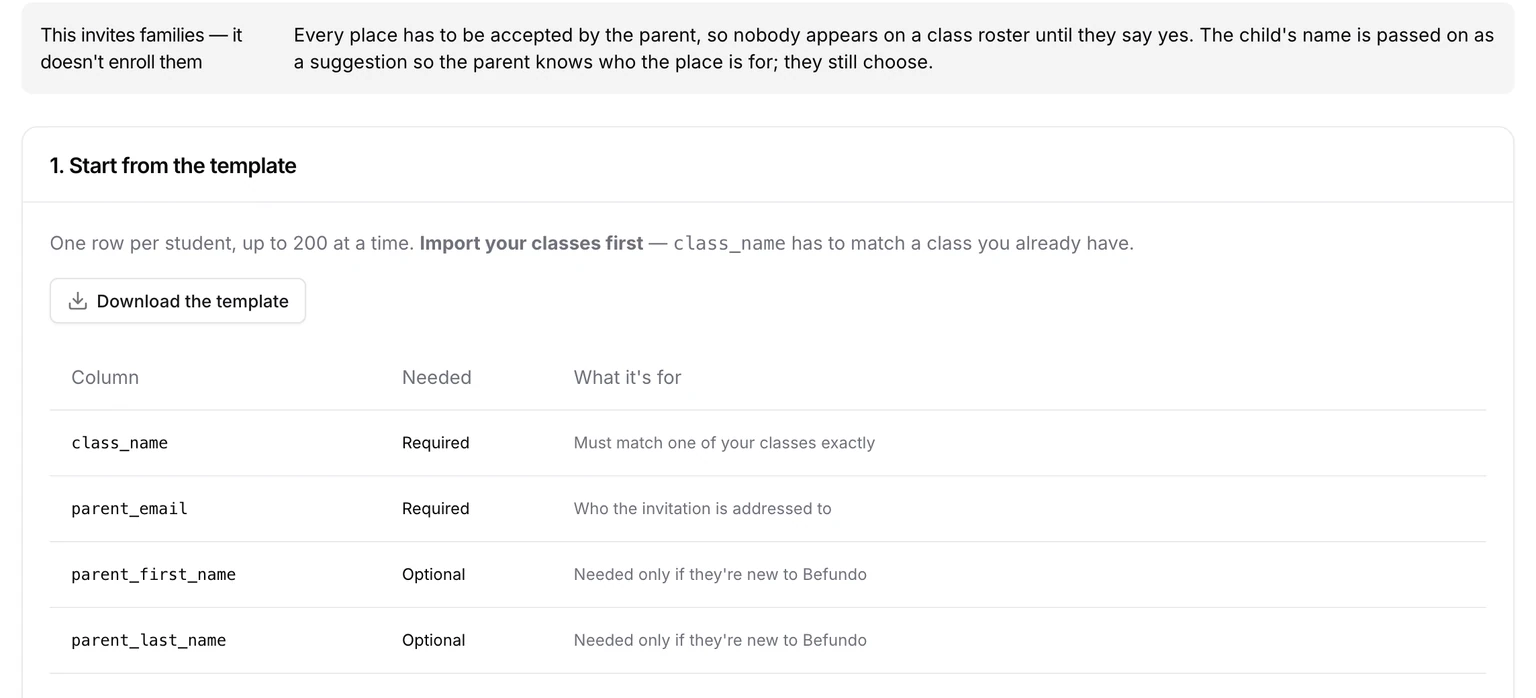
Import your classes first: each row has to name a class you already have.
- In your business, open Classes, press Import from a spreadsheet, then choose the Students tab. It's also step 3 of the setup wizard.
- Press Download the template and fill in one row per student, up to 200 at a time. Only class_name and parent_email are required. Add the parent's name if they're new to Befundo, and the child's name as a suggestion.
- Upload the file, or paste it into the box, and press Check the rows.
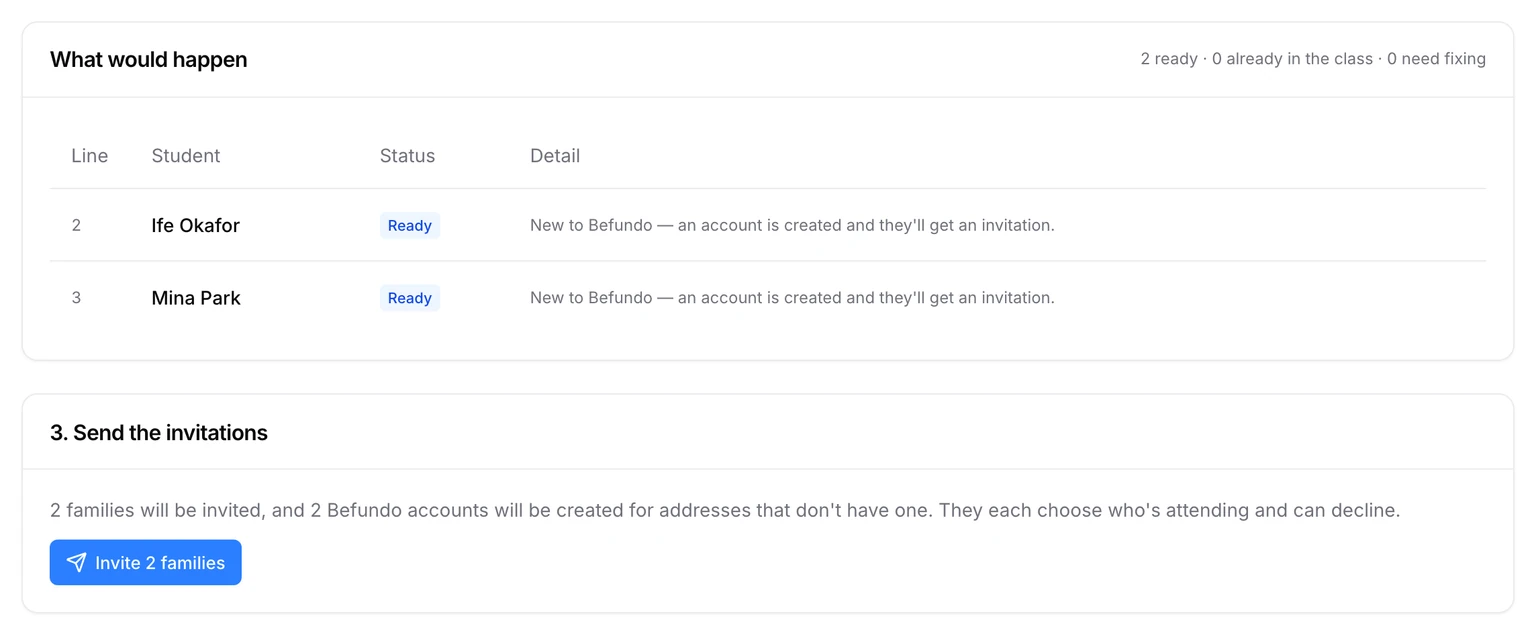
- Read What would happen: who's ready, who's already in the class, and anything to fix.
- Press Invite N families.
What the parent sees
Each parent gets an invitation saying a place has been offered and nothing is booked until they accept. They choose who's attending, then press Accept or Decline. A parent new to Befundo gets an account for the address you imported, and signs in to answer.
Two children of one parent in the same class can't both come from one import. The invitation goes to the family, not the child, so invite the first and add the second once it's accepted.
Import your classes first
The Classes tab of the same page takes the classes you already run. Paste your own spreadsheet: if your column names aren't the ones Befundo uses, press Match my columns and check the matches it suggests. Every value still goes through the same checks, and you see a preview before anything is created.
After you send
Invitations wait until each family answers. Accepted ones appear on the class's Members list and on your Students page. A family that declines is simply not added.
Or share a class link
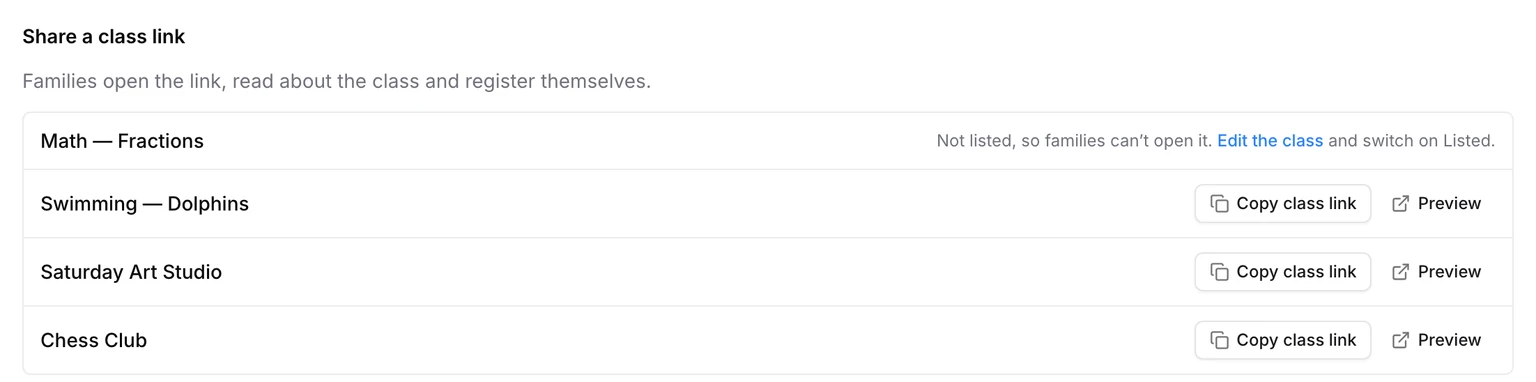
A class link opens the class's public page, where families register themselves. You'll find Copy class link beside each class in the setup wizard's Bring in your families step. It appears for classes that are active and listed.
Bring your families in
Open your business's Classes, press Import from a spreadsheet, and choose the Students tab.