 ™
™Know who has paid, without chasing
The Befundo team · July 28, 2026 · 3 min read
Befundo never touches your money. Families pay you however they already do, and the money goes straight to you. What Befundo does is keep the ledger: what each family owes, what has arrived, and who's behind, so you don't keep it in your head.
The quick answer
- Befundo doesn't take or process payments. It records them.
- What each family owes is worked out from each class's price and how often you collect, counting from a date you choose.
- Families can tell you they've paid. You confirm it arrived, and it goes into the ledger.
- No notification ever carries an amount.
Set it up
- In your business menu, open Payments, then Settings.
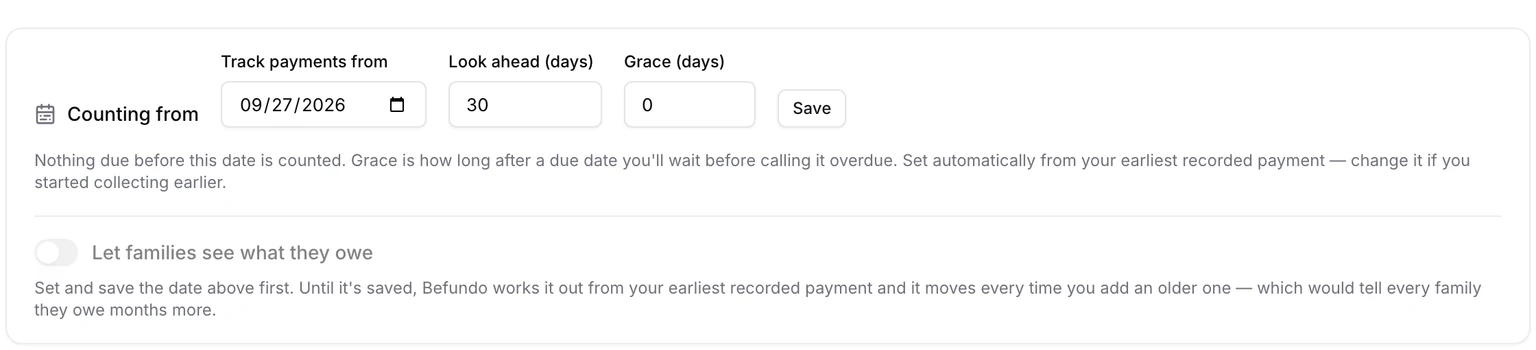
- Under Counting from, set Track payments from. Nothing due before that date is counted.
- Set Look ahead and Grace: how far ahead to show what's coming, and how long after a due date to wait before calling it overdue.
- Save.
Each class needs its price and how often you collect. A class charged per session can't be worked out ahead, so it shows as not tracked rather than as zero.
Record what arrives
On a class's Settings page, Record payment adds a payment to the ledger. The Due tab then shows who's behind. Payments settle the oldest amount owed first.
Let families tell you
On their Payments page, a family can press I've paid this. You see it under Reported payments:
- It arrived records it in your ledger.
- Can't find it tells them you couldn't find it.
Nothing goes into the ledger until you confirm it.
Tell families how to pay
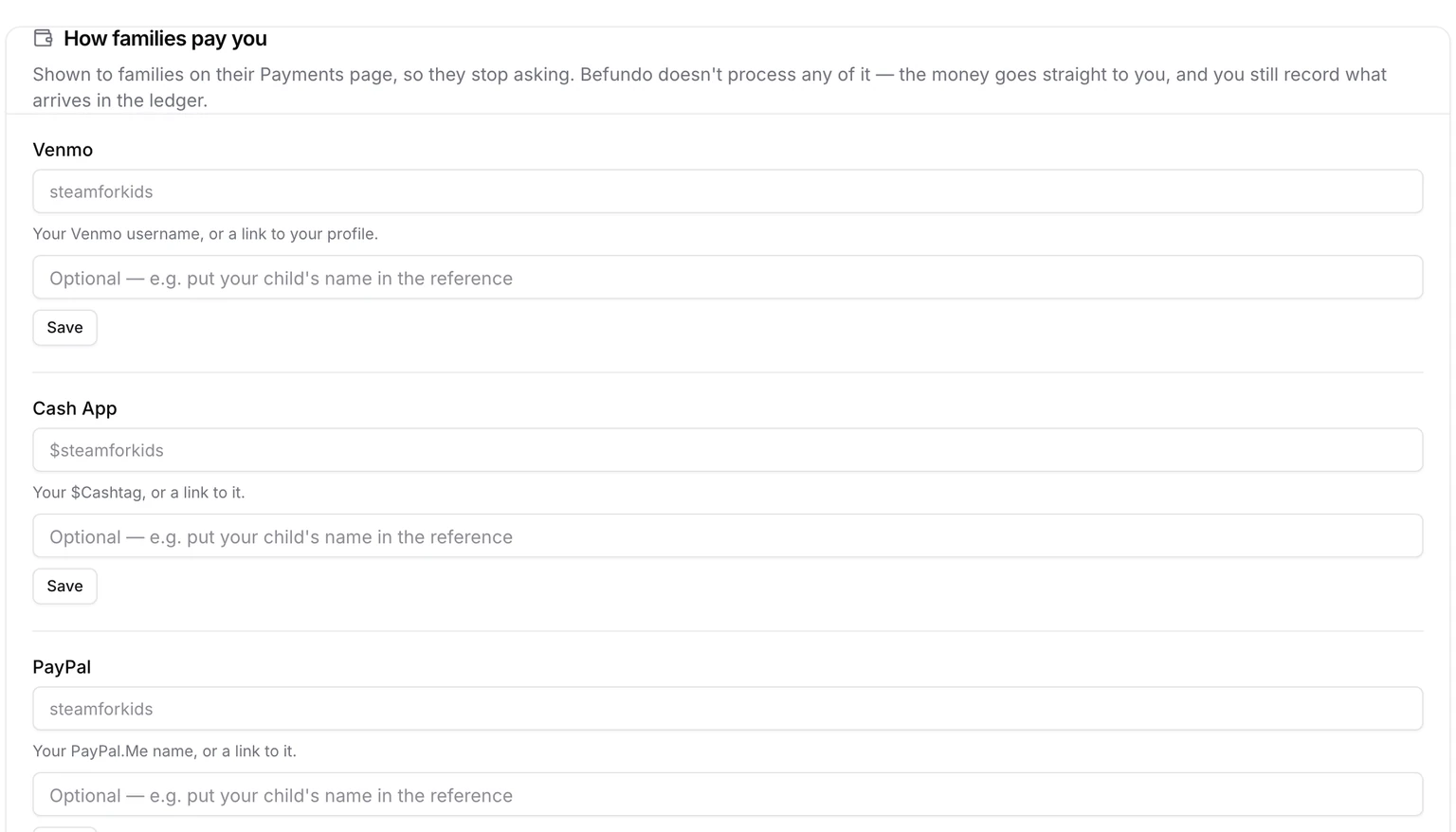
Under How families pay, add your Venmo, Cash App, PayPal, a Stripe or Square payment link, Zelle, or anything else. Families see these on their Payments page, so they stop asking where to send it.
Showing families what they owe
Let families see what they owe is off until you've saved a Track payments from date. It stays off until you switch it on.
What families see
Their Payments page shows how to pay you, from what you filled in under How families pay. It shows what they owe only if you've switched that on. Befundo never sends a family a reminder to pay, and never puts an amount in a notification. When you want to nudge the families in a class, post a Payment reminder to it.
What it doesn't do
It doesn't take card payments, issue invoices or chase anybody on your behalf. It keeps an accurate list, so the conversation you have with a family starts from the same facts on both sides.
Set it up now
Open Payments in your business menu, go to Settings, and set Track payments from.