 ™
™Progress and reports: where to find them
The Befundo team · August 7, 2026 · 2 min read
Parents ask "how is my child doing?", and the honest answer is rarely a single number. Befundo doesn't issue a report card or rank children. What it keeps is the record a good teacher keeps: who was there, what was covered, and what the teacher noticed.
The quick answer
- Your child's Progress page gathers every class they're in or have finished, with attendance for each.
- Each class has a Report with that child's attendance and the teacher's notes.
- The Course tab shows what the class has covered so far.
- Meeting pages carry any summary the teacher published.
The Progress page
- Open the switcher at the top of the menu and choose your child.
- Choose Progress.
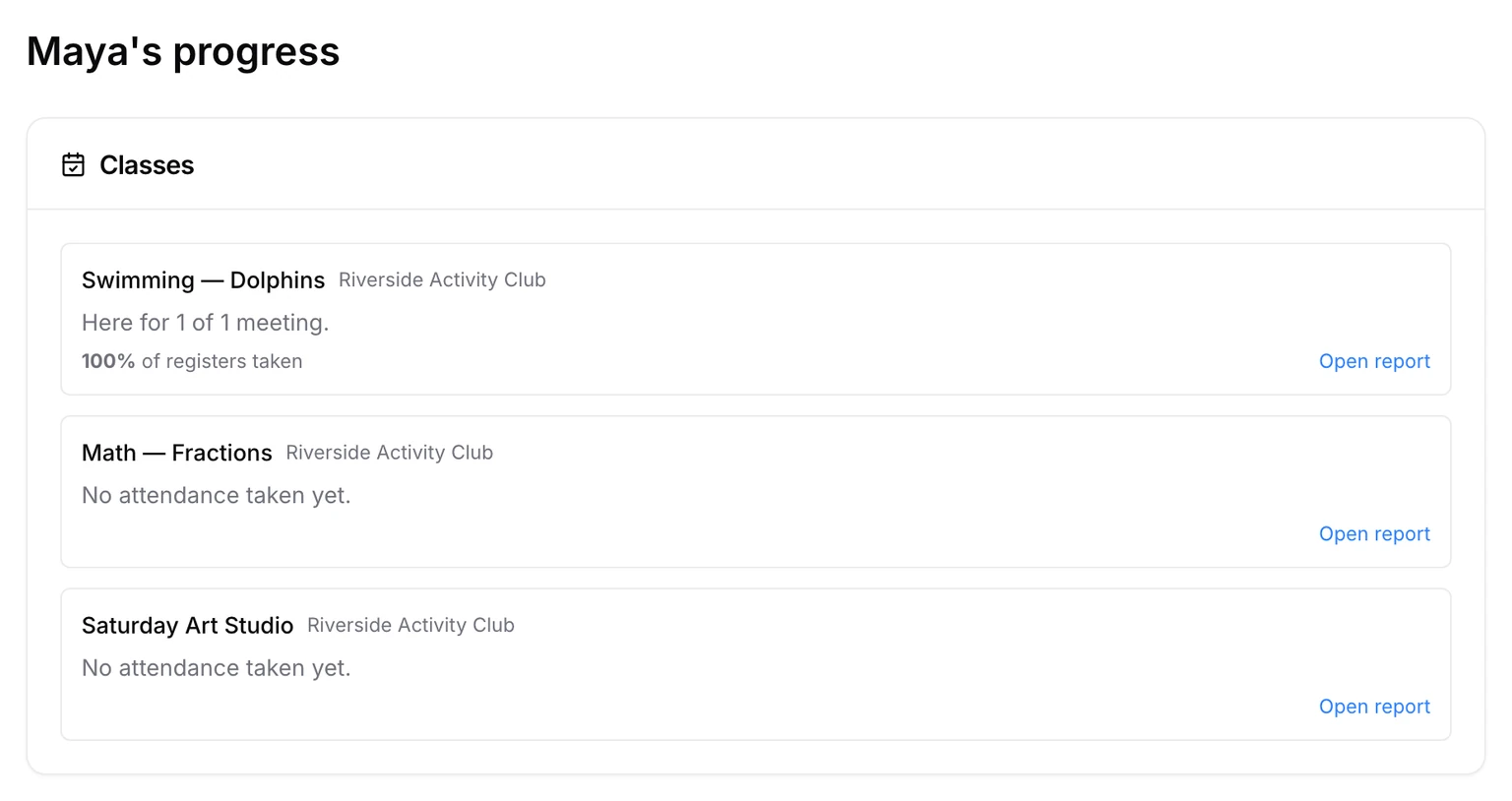
Each class is listed with its business, how many meetings your child was at, and Open report. Below, Tests, quizzes and practice lists work the teacher set, with where each one stands.
A class's report
Open report, or Report in the class's menu, shows:
- Attendance: each meeting, marked here, late or absent.
- Notes: anything the teacher wrote about your child. You're notified when a note is added or corrected.
Notes can be corrected but not deleted, so the record stays whole. Only you, your child and the class's teaching staff read them.
Tests, quizzes and practice
Work a teacher sets shows on the Progress page with where it stands: not started, done, or answered. Practice is marked as your child goes. A quiz or test is marked by the teacher, and its marks appear once the teacher releases them.
More than one child
Each child has their own Progress page. There's no page that puts your children side by side, and nothing ranks them. A class two siblings share gives each of them a report of their own.
What the course has covered
A class's Course tab lists its syllabus and marks what has been covered, for example "4 of 7 covered". It describes the class's progress through the material, not your child's.
Summaries
If a class uses AI summaries, each meeting page has a Summary for families. It says what was covered and what's coming next. It's about the session, never about one child, and a teacher checks it before it's published.
What you won't find
There are no grades, no percentages of how good a child is, and no comparison with classmates. Some businesses use Befundo's Quest For Spark curriculum, which records what each student understands. That record stays with the teacher, who uses it to decide what to teach next; it isn't a score for families. A skill nobody has assessed yet is simply not assessed. It isn't a weakness.
Open it
Choose your child in the switcher on your dashboard, then open Progress.