 ™
™Registering your child for a class
The Befundo team · September 16, 2026 · 3 min read
Registering a child for a class on Befundo is one short form on the class page. There's one deliberate detail: Befundo never guesses who the place is for.
The quick answer
- Choose who it's for. Nothing is preselected, so a place can't go to the wrong child by accident.
- Some classes register you straight away; others ask the business to agree first.
- Before the class starts, you can withdraw whenever you like.
- Once it has started, you ask to withdraw and the business answers.
How to register
- Open Find classes and pick a class, or follow a class link a business sent you.
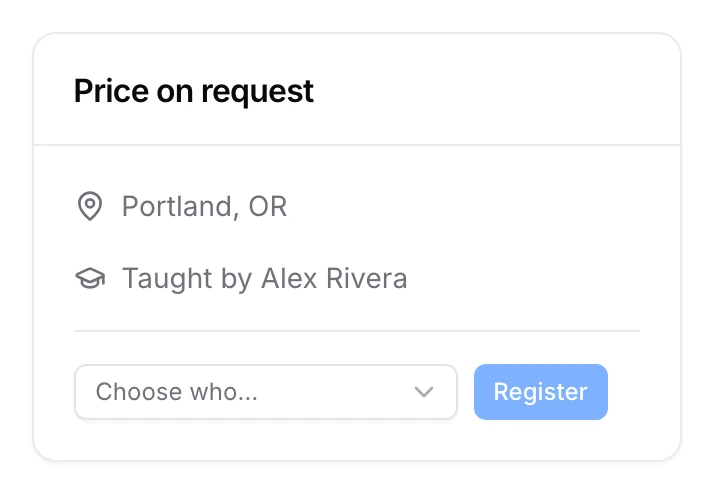
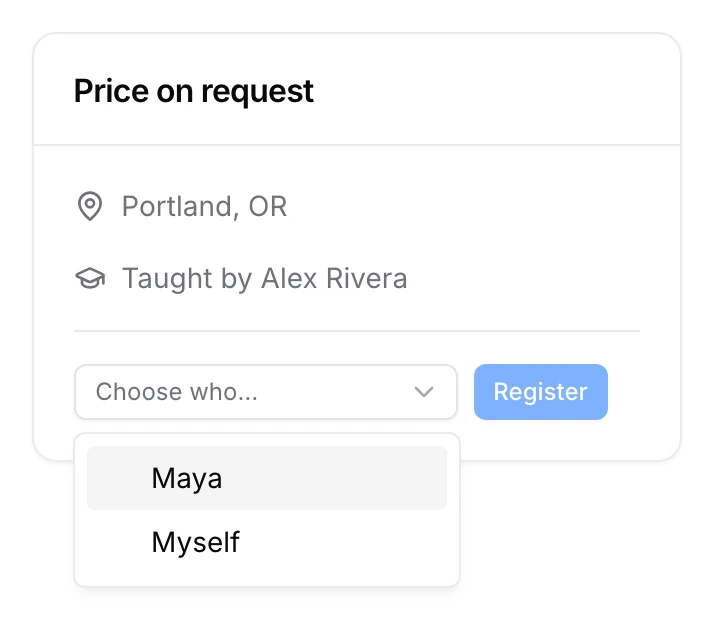
- On the class page, open Choose who… and pick your child. Myself is there too, last, for classes you'd take yourself.
- Press Register Maya (it names whoever you picked). If the class asks for approval first, the button reads Ask for a place for Maya instead.
- Read what the class asks you to agree to under Before you join, and confirm.
Why nothing is preselected
A household with two children and a parent has three possible answers. A form that fills one in for you will sooner or later register the wrong person, and the only sign is a surprised child. So the list starts empty and the button stays off until you choose.
After you register, the picker goes back to empty. Registering a sibling is a second, separate choice.
What you agree to
Each class lists what it asks of families before you join:
- Required items must be agreed before you can join. Examples are a code of conduct, medical and emergency details, and who may collect your child.
- Photos and video is always optional. Saying no doesn't affect the place.
Changing your mind
Plans change, and Befundo is built for it.
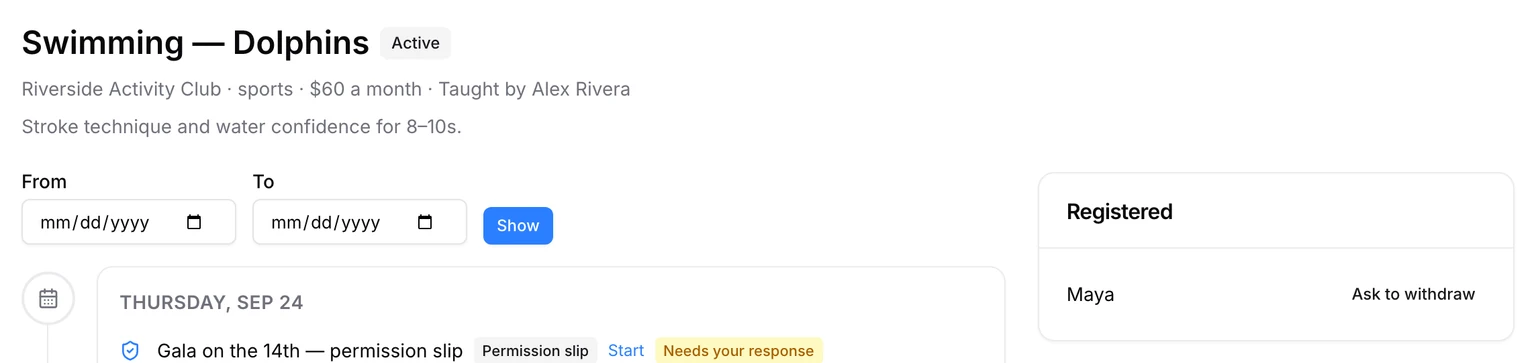
- Before the class starts, the class page shows Withdraw under Registered. Confirm it, and the place goes straight away.
- Once the first meeting has started, the button becomes Ask to withdraw. You can add a reason, and the business agrees or keeps the place. Nothing is lost either way: attendance, work and payments already recorded stay on the record.
More than one child
Register each child separately. Pick the first, register, then pick the second. A child already registered or waiting for an answer shows as such in the picker and can't be chosen twice. Each child then has the class on their own page, in their own color on your calendar.
When a class is full
A business sets a maximum number of students. Once it's reached, the class stops taking registrations. The business can still invite somebody in, so if a place matters to you, write to them.
After you register
The class appears on your dashboard, on your child's page and on your calendar. Its meetings, its news and any work it sets show up from then on, and so does a join button when a class is taught live.
Find a class
Open Find classes, choose one, and register the child it's for.