 ™
™Tasks: your to-dos and your class work
The Befundo team · August 22, 2026 · 3 min read
Tasks is one page for everything your household has to do: the work classes set and the reminders you write yourself. It keeps the two apart, because they aren't the same kind of promise.
The quick answer
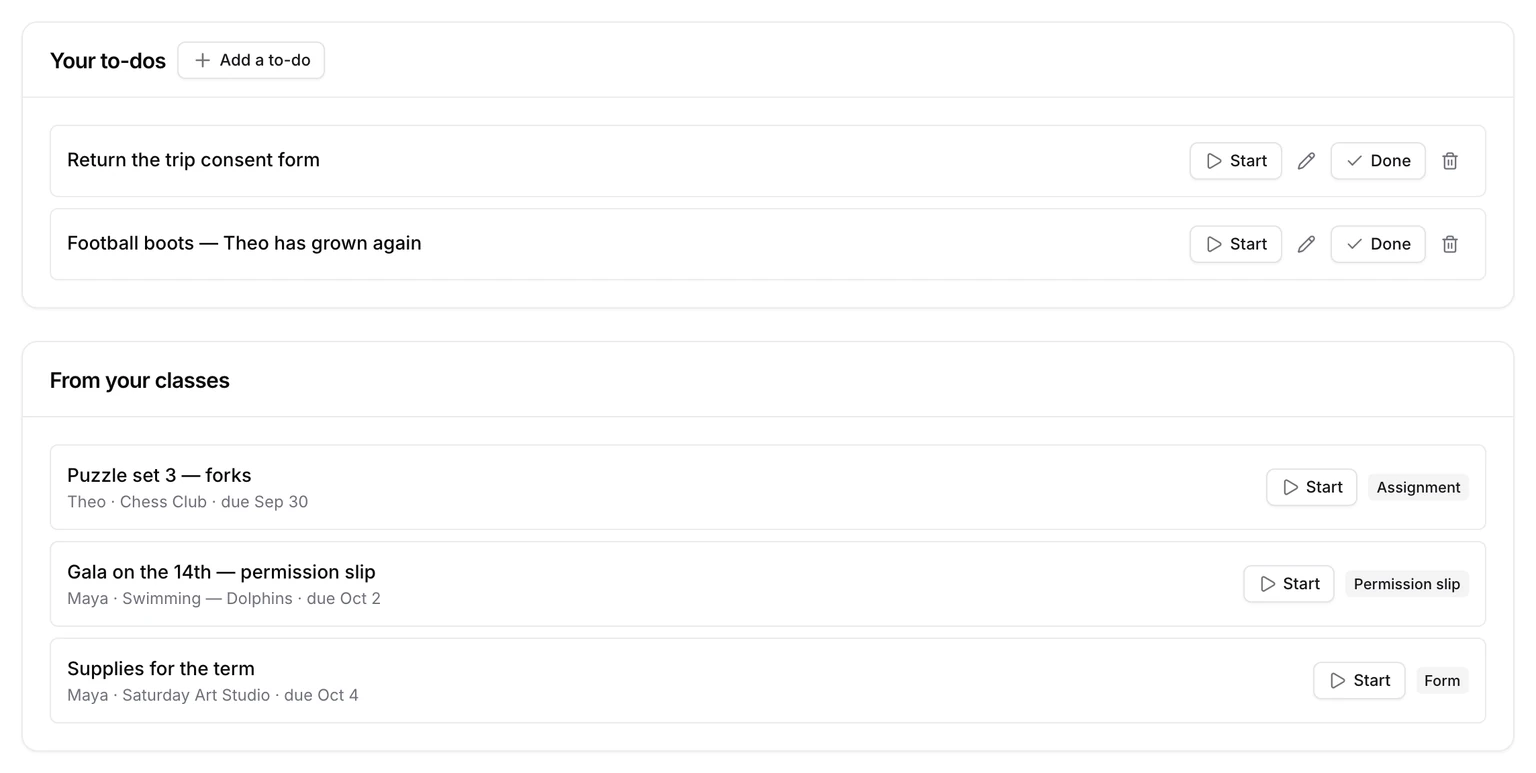
- From your classes is what a teacher set: forms, permission slips, assignments, practice. Each shows who it's for, which class, and when it's due.
- Your to-dos are yours: "buy a new swim cap", "return the trip form".
- Today on your dashboard shows what you planned for today, plus anything due today.
- An unfinished plan carries over to tomorrow rather than disappearing.
Add a to-do
- Open Tasks.
- Press Add a to-do, write it, and add a date if it has a deadline.
- To put it on today's list, add it from the Today card on your dashboard instead. There it's Add to today's list.
When it's done, press Done. Not today after all? Press Not today on the Today card and it goes back to the list, deadline untouched.
Today versus the rest
Your dashboard's Today card and its Tasks card never show the same to-do twice, and never lose one between them. Today has what you planned for today and anything falling due today. The Tasks card has everything else.
A plan you didn't finish stays on Today the next morning, marked as carried over. Nothing has to be re-planned just because midnight passed.
How it's going
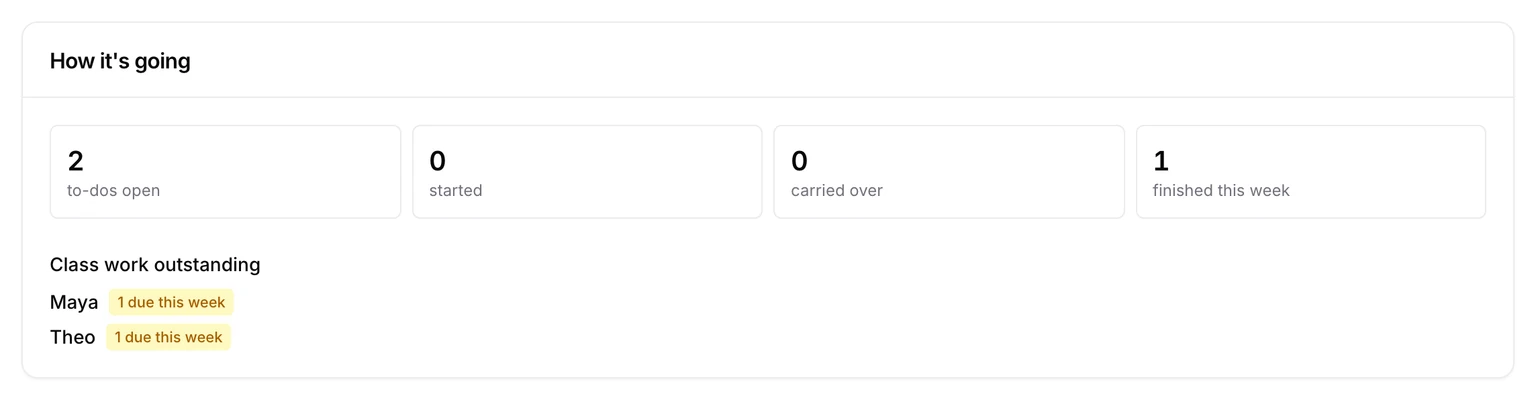
At the top of Tasks, How it's going counts things rather than grading them:
- to-dos open
- to-dos started
- to-dos carried over
- to-dos finished this week
Below that is the class work still outstanding, one line per child, alphabetically. A child with nothing outstanding isn't listed at all, so it never reads as a ranking of your children.
Done, and what you started
Press Start on something you've begun, and it counts as started until you finish it. Finished to-dos move to the Done tab, so the list stays short without losing what you did. Class work you've answered moves there too.
Class work isn't yours to edit
A form or an assignment comes from the class. You can start it, answer it and mark it done, but not rename it or change its date. Those belong to the teacher who set it.
The first time you open it
If you haven't written anything yet, Tasks opens with a card titled Two ways to keep track. It explains a to-do (something to finish once) and a routine (something done regularly). It offers a button for each and disappears once you've added one.
Try it
Open Tasks and press Add a to-do for the next thing on your mind.