 ™
™Teach from your own syllabus, or from Quest For Spark
The Befundo team · September 1, 2026 · 3 min read
Befundo gives every class a place for what it covers. You can write your own syllabus, which works on every plan with no setup. Or you can switch on Quest For Spark, Befundo's own curriculum. Both are supported, and most businesses start with their own.
The quick answer
- Your own syllabus: add modules and items on the class's Course tab, then tick what each meeting covered.
- Families see the ticks as progress through the course, never as anything about their own child.
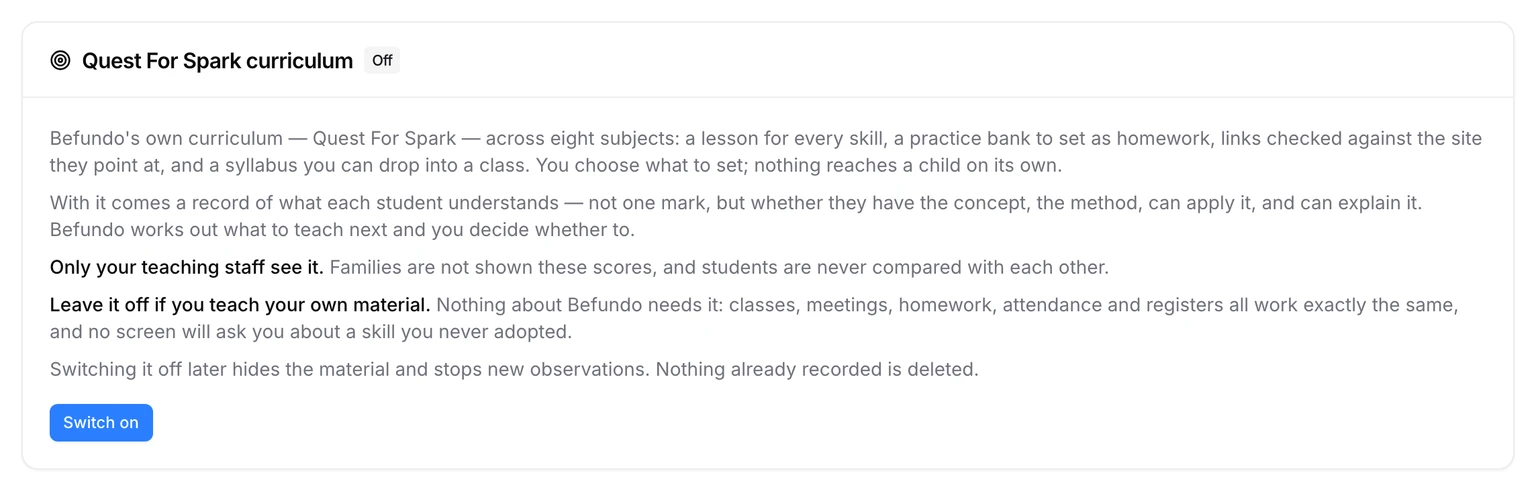
- Quest For Spark is opt-in. Switch it on under Integrations if you want its lessons, practice and syllabus.
- Nothing depends on it. Classes, meetings, homework and attendance all work the same without it.
Write your own syllabus
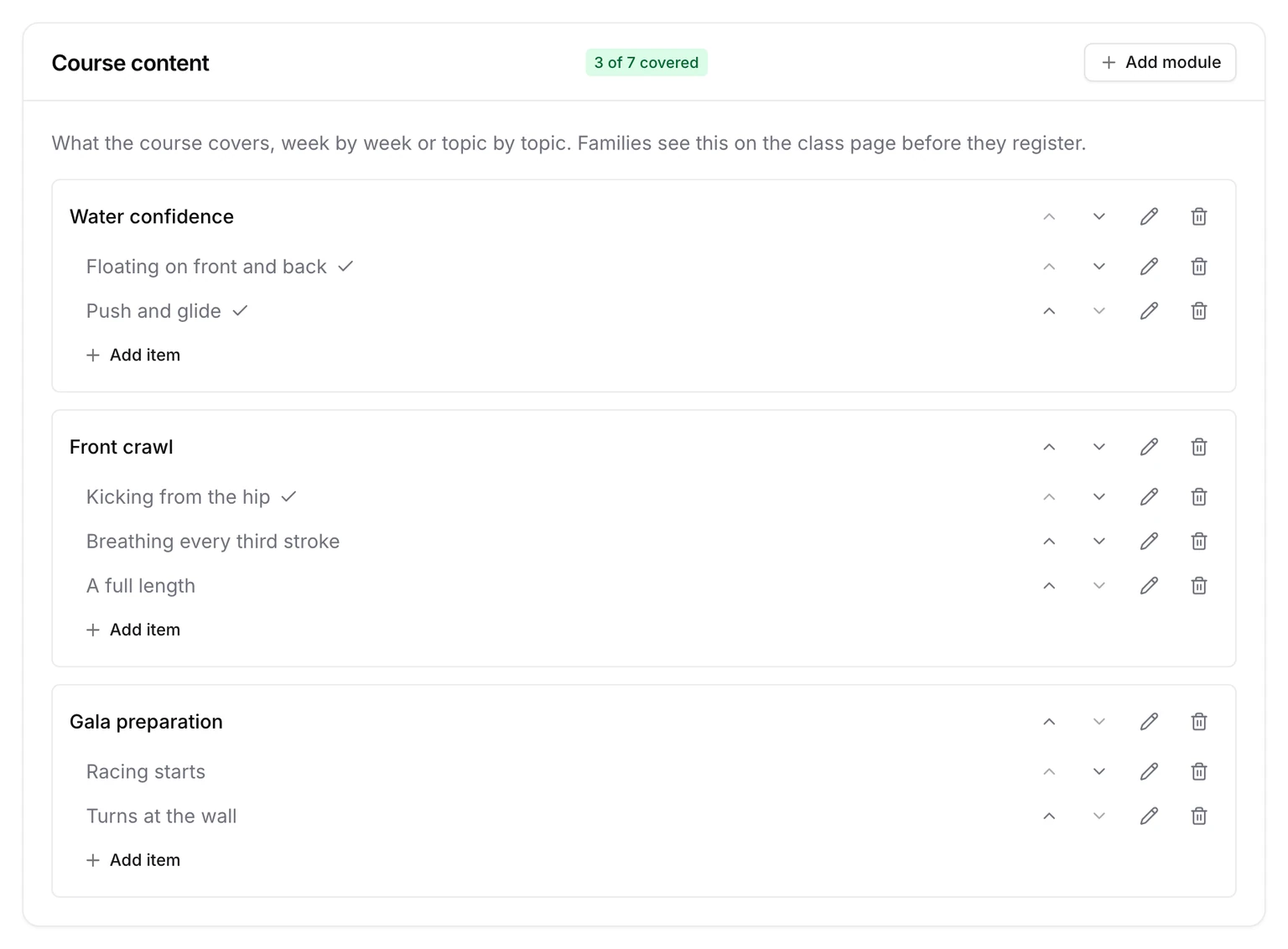
- Open the class and go to Course.
- Under Course content, press Add module and name it, for example "Week 1: Getting started".
- Inside each module, press Add item for each thing you'll teach.
Families see this on the class page before they register, so it doubles as the best description a class can have.
Tick what each meeting covered
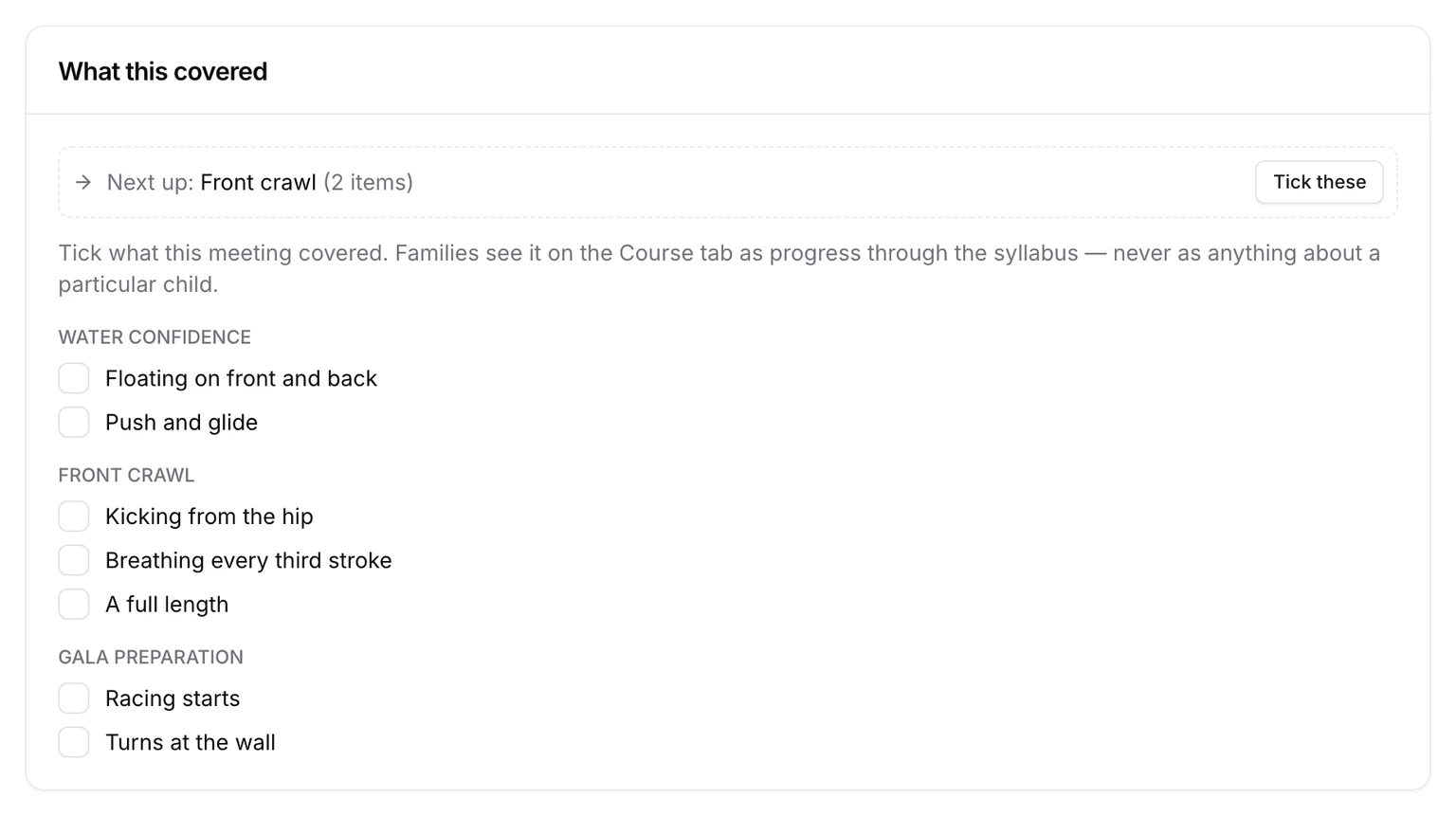
- Open the meeting from Meetings.
- Under What this covered, tick the items you taught. Tick these at the top suggests the next ones in order.
The course's badge moves on ("3 of 7 covered"), and families see the same progress on the Course tab. A week you lose doesn't break anything: each meeting records what it actually covered.
Plan it across the term
On the Course tab, Spread this across the meetings divides what's left of the syllabus over the meetings still to come, in order, with a meeting or so spare at the end. Press Preview a plan to see it first. It's a plan, not a record. Each meeting still asks what it actually covered, so a lost week makes the plan stale rather than wrong.
What families see
Families see the modules and items, with a tick beside everything covered and the count at the top. They see it on the class page before they register, and on the Course tab once they're in. It never shows anything about their own child, or about anybody else's.
Or use Quest For Spark
Quest For Spark covers eight subjects. It has a lesson for every skill, a practice bank to set as homework, checked links, and a syllabus you can drop into a class. You choose what to set, and nothing reaches a child on its own.
With it comes a record of what each student understands, and only your teaching staff see it. Families aren't shown these scores, and students are never compared with each other. Switching it off later hides the material and stops new observations; nothing recorded is deleted.
Start your syllabus
Open a class, go to Course, and press Add module. If you'd rather use Quest For Spark, it's under Integrations in your business menu.