 ™
™Your child's page, and their classes
The Befundo team · August 12, 2026 · 3 min read
Your own dashboard shows the whole household. Each child also has a page of their own, with just their day, their classes and their record. It's the page to open when the question is about one child.
The quick answer
- Use the switcher at the top of the menu to go from Personal to a child's name.
- Their page has their Today, their routines and their calendar. The menu has their Progress, Classes, Rewards, Friends and Messages.
- Each class opens on its own board, with meetings, work, the course and their report.
- Change their color, picture and details from Edit in the child's menu.
Open it
- Open the switcher at the top of the menu. It reads Personal.
- Pick your child.
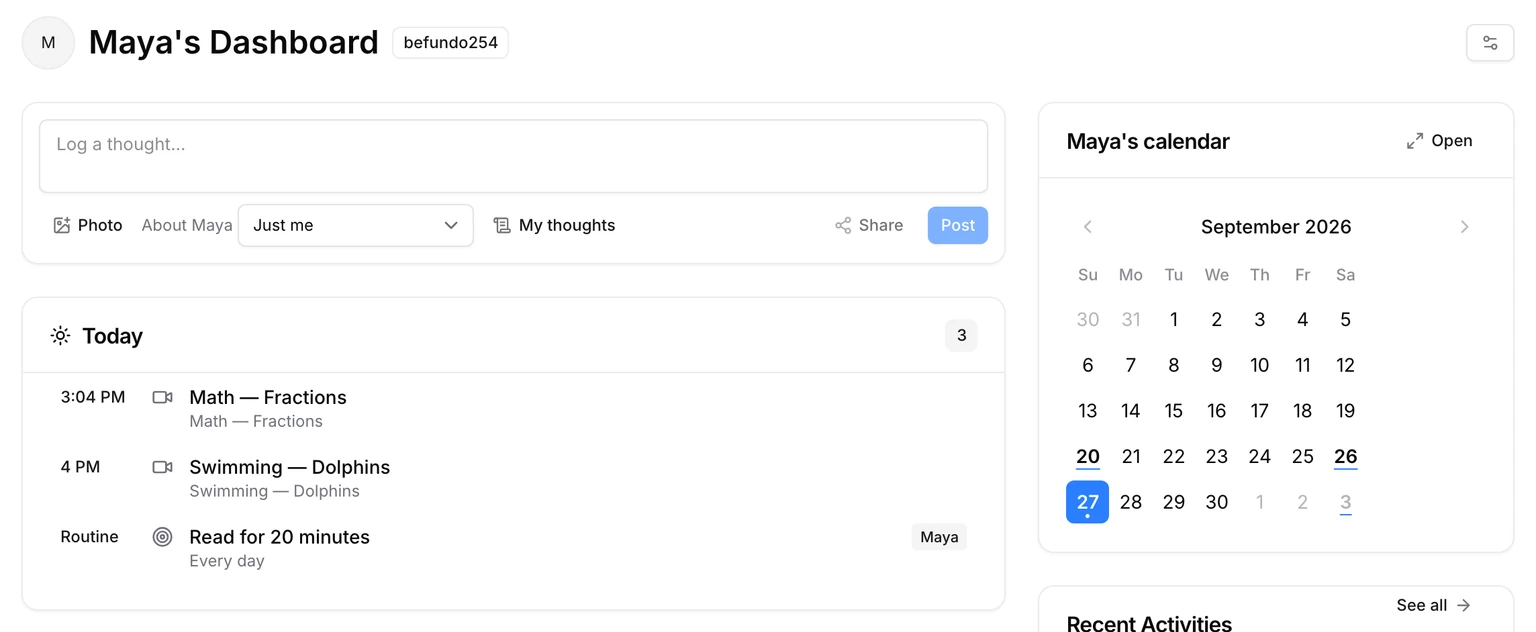
Their dashboard shows today's classes and routines, what's due, their calendar, and the parents who look after them.
Their classes
Classes in the child's menu lists every class they're in. Each one opens on its board, the class's own news, with a menu of its own:
- Meetings: each session, its summary if the class has summaries, and attendance.
- Work: forms, assignments and practice set by the teacher.
- Course: what the class covers, and how far it has got.
- Report: your child's attendance and the teacher's notes about them.
Switching to another class from inside a child's class keeps you inside that child.
Their color and picture
Each child has a color, used for their dot on every calendar, and a picture if you want one.
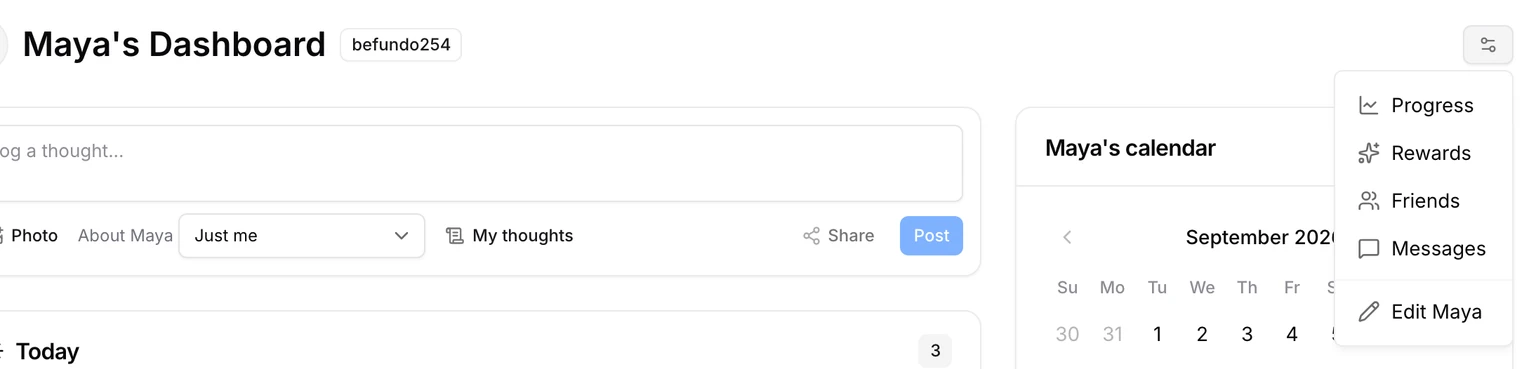
- On your child's page, open the menu at the right of their name.
- Choose Edit (it names your child).
- Pick a color, add a picture, or correct their details, such as grade, date of birth and interests.
Their calendar
Each child's page has their calendar: their classes and meetings, and nothing of their siblings'. Your own dashboard's calendar shows the whole household, each child in their color.
Two parents, one page
The Parents card on your child's page lists the adults who look after them. Add a parent invites a co-parent. They see the same page and classes for that child, from their own login, and nothing of your account beyond it.
A login of their own
From 13, a child can have a login of their own. Turn it on from Account. They then see their own page, classes and messages when they sign in, without the household view a parent has.
Common questions
Can my child see my dashboard? No. A child with their own login sees their own page, classes and messages, and not the household view.
Who else sees my child in a class? Other families in the class see their first name and last initial on its members list, unless the business hides the list for that class.
Try it
Open the switcher at the top of your dashboard and choose your child.